Network engineering & integration

Your whole network,
designed as one.

We plan networks for offices, shops and homes — Wi-Fi, NAS, access control, CCTV and cabling. One team handles the design, installation and upkeep.

  • Free on-site assessment
  • UniFi · TP-Link Deco
  • Design, cabling, install
  • Scheduled maintenance
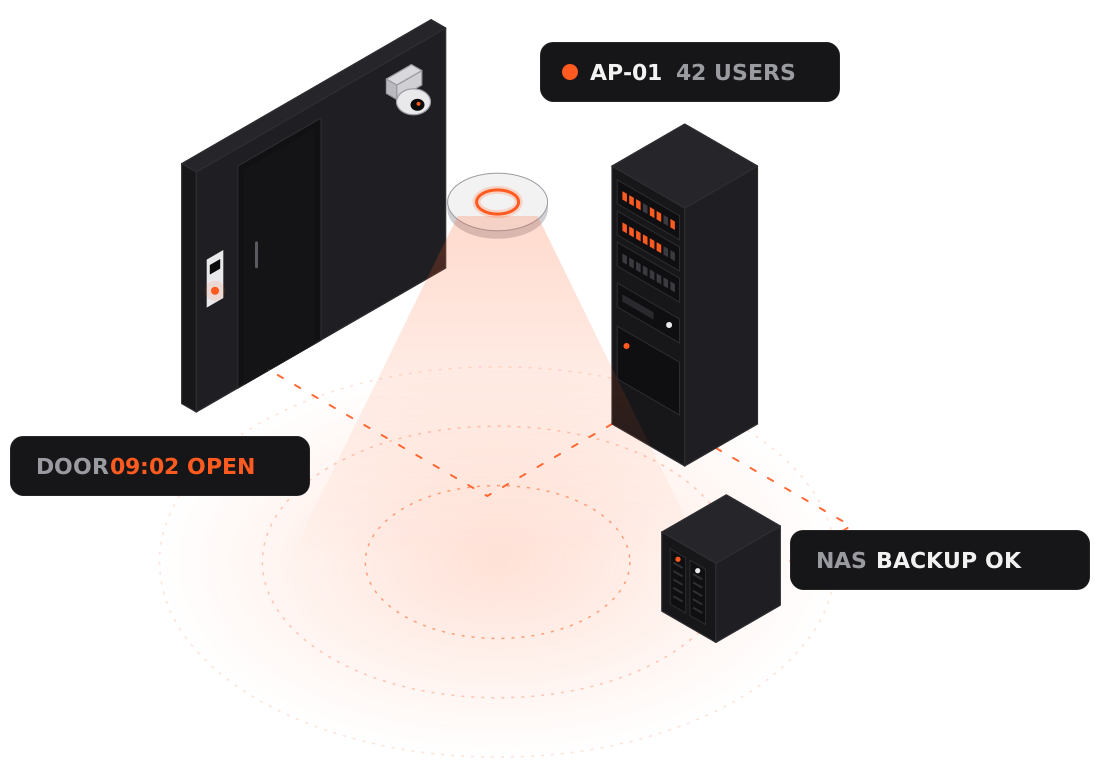
Network illustration: a ceiling Wi-Fi access point, network rack, NAS, door card reader and CCTV camera
Services

One team for your whole network.

No need to juggle separate Wi-Fi, CCTV, access-control and IT vendors. From planning to maintenance, you only need to call us.

Wi-Fi design and installation

We test the signal on site and plan access-point (AP) placement and channels for full coverage, with separate networks for staff, guests and smart devices.

NAS storage and backup

Synology NAS set up with shared folders, user permissions and automatic backup for computers and phones, plus snapshots and off-site copies to guard against ransomware.

Access control

Unlock by card, phone or PIN, with temporary passes for visitors. Set access by person and time, with every entry logged.

CCTV

HD cameras and recording, with live view and playback on your phone. Can be managed on the same platform as your network and doors.

Cabling and racks

Cat6 cabling, wall sockets, racks and patch panels — neatly run and labelled, so future repairs are quick.

Scheduled maintenance

Regular equipment checks, firmware updates and backup restore tests. Remote support when something’s wrong, and on-site visits when needed.

Brands

UniFi or Deco?

Each has its strengths. We recommend based on your space, number of users and budget — never more kit than you need.

Ubiquiti UniFi

Offices · shops · multi-floor sites

A professional platform that manages Wi-Fi, switches, CCTV and door access in one app.

  • Seamless roaming across many APs, for lots of users
  • VLANs to separate staff, guest and device networks
  • Guest Wi-Fi sign-in page
  • CCTV (UniFi Protect) and door access (UniFi Access) on one platform
  • Remote monitoring and management

Best for: offices, shops, restaurants, clinics, multi-floor homes

TP-Link Deco

Homes · small offices

Mesh Wi-Fi that’s quick to set up, easy to manage and covers the whole home.

  • Several units form one network and switch automatically
  • Simple management in the phone app
  • Parental controls and a guest network
  • Lower cost — add units later to expand
  • Wired backhaul for steadier speeds

Best for: flats, village houses, small studios

For storage and backup we use Synology NAS. Already have equipment? We’ll assess it and keep what still works.

Where we work

Different spaces, different designs.

Offices

  • Separate staff and guest Wi-Fi
  • Shared files and automatic backup on NAS
  • Card access with entry logs
  • Steadier video calls in meeting rooms

Shops and restaurants

  • A dedicated network for POS and ordering devices
  • Customer Wi-Fi sign-in page
  • CCTV on your phone, from anywhere
  • Manage several branches centrally

Homes

  • Whole-home mesh Wi-Fi, no dead zones
  • A separate network for smart-home devices
  • Parental controls for screen time
  • NAS backup for photos and videos
Free on-site assessment

We look first,
then we quote.

Every space differs in size, layout and number of users, so we don’t publish a fixed price list. Book a free on-site assessment: we’ll test the signal, learn what you need, then send a design and quote.

The assessment covers

  • On-site Wi-Fi signal and speed tests
  • How many people use the network, and how
  • A check of your broadband, router and cabling
  • Suggested positions for APs, cameras and readers
  • A design and equipment list
  • An itemised quote
Process

From assessment to maintenance, in five steps.

  1. Step 1

    Free on-site assessment

    We test the signal and learn about your space and needs.

  2. Step 2

    Design and quote

    Recommended equipment and placement, with an itemised quote.

  3. Step 3

    Cabling and installation

    Work can be scheduled outside business hours to minimise disruption.

  4. Step 4

    Test and hand over

    Every spot is tested; you get a network map, equipment list and admin accounts.

  5. Step 5

    Scheduled maintenance

    Regular checks and updates, with remote support when needed.

Questions

Good to know

How is pricing worked out?

Every space is different, so we start with a free on-site assessment, then quote based on size, number of users, equipment and cabling work. The quote itemises equipment and labour.

Can you reuse my existing equipment?

Yes. We check your router, switches and cabling during the assessment, keep what still works, and add only what’s needed.

Do I need to change broadband provider?

No. Our setups work with any broadband provider — we connect to the line you already have.

Will installation disrupt my business?

We can work outside business hours or on rest days, and plan the switchover in advance to keep downtime to a minimum.

What is a NAS for?

A NAS is a private storage server in your office or home. It lets people share files and backs up computers and phones automatically, keeping your data in your own hands. With snapshots and off-site backup, you can restore files even after a drive failure or a ransomware attack.

What if something goes wrong after installation?

Just WhatsApp us. Most issues can be fixed remotely, and we’ll come on site when needed. You can also choose scheduled maintenance for regular checks, firmware updates and backup tests.

Free on-site assessment

Tell us about your space.
We’ll handle the rest.

Send a quick WhatsApp with your location, size and what you need (Wi-Fi, door access, NAS…), and we’ll arrange a free on-site assessment.